OPEN CAPTION Definition & Meaning
Many people view videos on YouTube, Netflix, on TikTok, in the cinemas, and online courses daily. Not all people hear sound. That’s where captions come in very handy. This guide will show you everything about open captions in simple English.
Open captions can be used to display the dialogue on the screen as text. They enhance accessibility, aid in comprehension of videos in noisy environments, and ease accessibility for content to international audiences. In today’s day and age, many creators, businesses, schools, and streaming platforms use captions to enhance their viewers’ experience.This is a complete guide that will teach you what open captions mean, how they work, and the difference between open and closed captioning, along with its advantages, and when to use them.
What Are Open Captions?
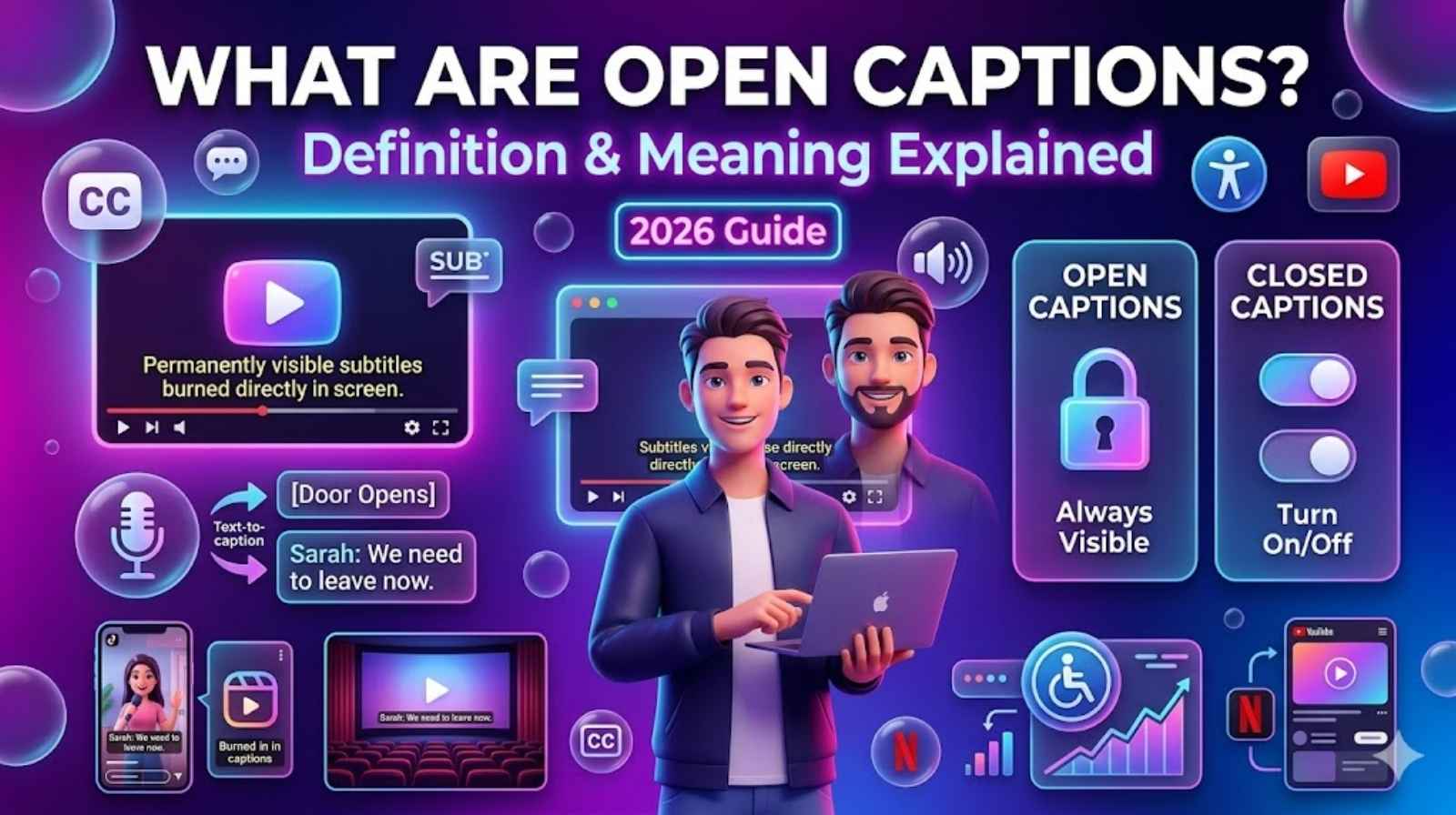
Open captions are captions which will continuously appear on the screen of a video. You can’t turn them off as they’re already integrated within the video.“Open captions” are captions that are always displayed when you view a video and you cannot turn off.Open captions are simply a line of text that is written in front of a video showing speech, sound effects and audio information, and they are always on screen.These captions will become “burnt” into the video file.
Open captioning examples include:
- Videos on TikTok that have permanent text.
- Instagram Reels captions
- The subtitles on screen show up at all times.
- Videos on social media platforms that are captioned with static text.Fixed caption videos on social media platforms.
- Boarding planes and in gymnasiums in public buildings or places:
When you see “Open Caption Screening” in movie theaters, it often sparks a question in many minds: what does open caption mean? It just means that subtitles will be displayed to all movie viewers.
Open Caption Meaning Explained Simply
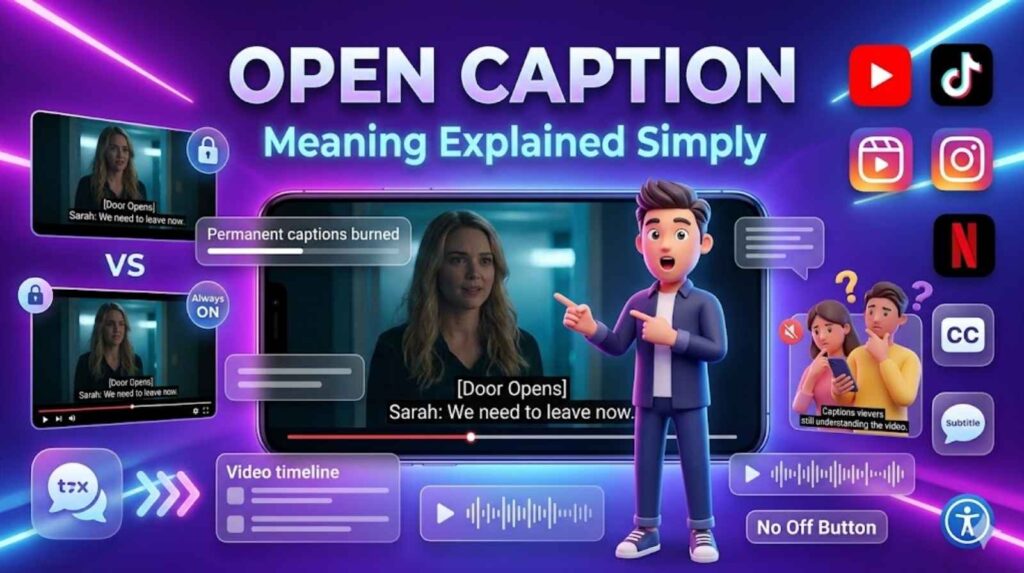
There is more of a sense when comparing open captions meaning with subtitles.Suppose you were watching a movie, and at the bottom of the screen, text would appear showing what was happening at that instant. That text will not go away, nor will it be disabled. This is an open caption.Typically, open captions contain:
- Spoken dialogue
- Speaker names
- Background sounds
- Music descriptions
- Audio effects
Example:[Door Opens]
Sarah: “We need to leave now.”
This makes videos more accessible for deaf or hard-of-hearing viewers.
What Does “Open Caption” Mean In Theaters?
There are open caption screenings available at many cinemas now. Theaters with “Open Caption” indicate that the film will have captions that will be visible on screen for all people.Open captions are not for personal use, but instead will be open for all viewers in the theater.
Open captions are used in movie theaters to assist:
- Deaf viewers
- Hard-of-hearing audiences
- Non-native English speakers
- Elderly viewers
- People who understand better while reading
Open caption screenings are becoming more common as they are a great way to make movies more accessible to those who watch them.
What Are Closed Captions?
- Closed captions are unique because they can be enabled or disabled at any time.Netflix, Hulu and HBO Go, as well as these other popular services:
- Netflix
- YouTube
- Disney+
The website will let users turn captions on or off. Closed captions are, like captions they give you the same kind of information including:
- Dialogue
- Sound effects
- Music descriptions
- Speaker identification
The main difference is control. With captions viewers decide if they want to see captions.
Closed vs Open Captions: What’s the Difference?
Many beginners confuse these two caption types. Here is a simple comparison table.
| Feature | Open Captions | Closed Captions |
| Can viewers turn them off? | No | Yes |
| Embedded into video? | Yes | No |
| Always visible? | Yes | Only when enabled |
| Best for social media? | Yes | Sometimes |
| Best for streaming platforms? | Less common | Very common |
| Used in movie theaters? | Yes | Sometimes |
| Accessibility support | Excellent | Excellent |
| Viewer control | No control | Full control |
The biggest difference is flexibility.
- Open captions stay visible permanently.
- Closed captions can be switched on or off.
Captions or Subtitles: An Important Distinction
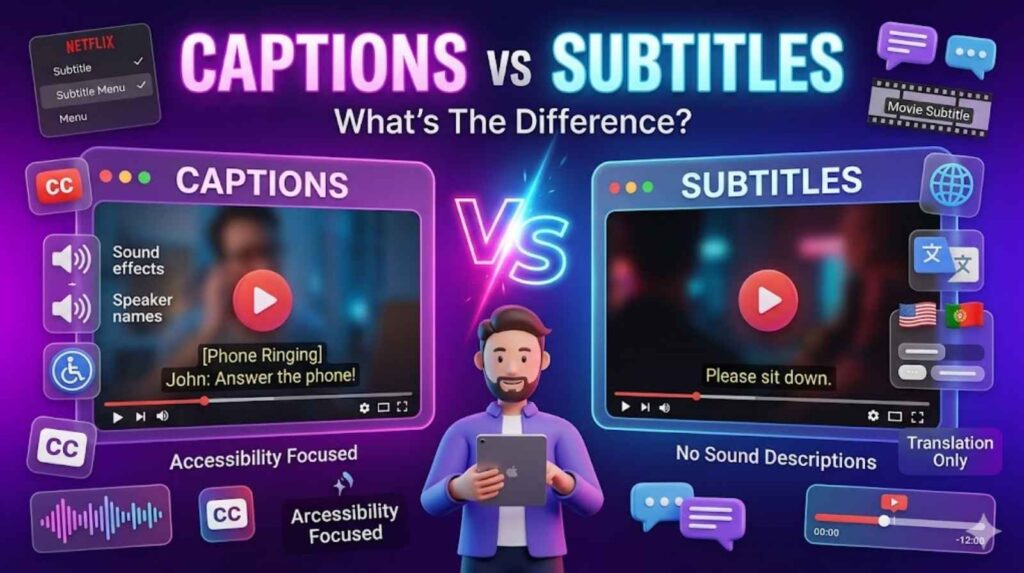
People often think captions and subtitles are the same thing, but there is a difference.
Captions
Captions are designed mainly for accessibility. They include:
- Dialogue
- Sound effects
- Speaker names
- Music descriptions
Example:
[Phone ringing]
John: “Answer the phone!”
Subtitles
Subtitles are used to translate what people are saying into a language. They mostly just write down what people say. They do not usually describe the sounds that you hear, like music or noise. Subtitles are, for translating spoken language into another language.
.Example:
“Please sit down.”
Subtitles are mainly used to translate the language into another language.They usually help viewers to understand content in a language.Subtitles do not include descriptions of sounds.Captions, on the hand help viewers understand all audio information.
Open Captions vs Closed Captions
Both caption styles are useful, but they work differently depending on the content type.
Open Captions
Open captions are best when:
- Most viewers watch videos without sound
- Accessibility is the top priority
- Videos are shared on social media
- You want captions permanently displayed
Closed Captions
Closed captions are best when:
- Viewers want control
- Content is on streaming platforms
- Multiple language options are needed
- Different caption settings are required
Many content creators use both depending on the platform.
Benefits of Open Captions
Understanding the benefits helps explain why open captions are becoming more popular.
Better Accessibility
Open captions help deaf and hard-of-hearing audiences understand videos easily.
Improved Engagement
Many people scroll social media without sound. Open captions help them continue watching.
Studies show videos with captions often get:
- More watch time
- Higher engagement
- Better audience retention
Easier Understanding
Captions help viewers understand accents, fast speech, or unclear audio.
Helpful In Public Places
People watching videos in gyms, buses, airports, or offices often keep sound muted. Open captions make videos understandable without audio.
Better Language Learning
Language learners improve reading and listening skills through captions.
Benefits of Closed Captions
Closed captions also provide important advantages.
User Control
Viewers can turn captions on or off whenever needed.
Multiple Language Options
Streaming services often provide captions in many languages.
Cleaner Viewing Experience
Some users prefer watching videos without captions, especially cinematic content.
Adjustable Settings
Closed captions may allow:
- Font size changes
- Color customization
- Background adjustments
This improves readability for different viewers.
When To Use Open Captions
Open captions work best in certain situations.
Social Media Videos
Platforms like:
often autoplay videos silently. Open captions help users understand content immediately.
Public Displays
Airports, restaurants, gyms, and waiting rooms usually keep videos muted.
Marketing Videos
Businesses use open captions to increase engagement and reach wider audiences.
Educational Content
Online teachers use captions to improve student understanding.
When To Use Closed Captions
Closed captions are better for flexible viewing experiences.
Streaming Platforms
Services like Netflix and YouTube mainly use closed captions because users prefer control.
Long Movies and TV Shows
Some viewers find permanent captions distracting.
Multilingual Content
Closed captions allow viewers to choose different languages.
Online Courses
Students can customize captions according to their needs.
Are Open or Closed Captions Better?
There is no single “best” option. The right choice depends on your content and audience.
Open Captions Are Better When:
- Videos autoplay silently
- Accessibility is essential
- Content is short-form
- You want guaranteed visibility
Closed Captions Are Better When:
- Users want flexibility
- Multiple languages are needed
- The platform supports caption controls
- Long-form viewing is important
Many creators use a combination of both methods.
How To Choose Between Open And Closed Captions
Here are simple questions to help you decide.
| Question | Best Choice |
| Is your audience watching silently? | Open captions |
| Do viewers need caption controls? | Closed captions |
| Is the video for TikTok or Reels? | Open captions |
| Is it for Netflix or YouTube? | Closed captions |
| Do you need multiple languages? | Closed captions |
| Is accessibility your top goal? | Both |
Choosing correctly improves user experience and engagement.
The Importance of Captioning Accuracy
Captions should always be accurate. Poor captions confuse viewers and reduce trust.Good captions must include:
- Correct spelling
- Proper punctuation
- Accurate timing
- Clear speaker labels
- Correct sound descriptions
Example of poor caption:
“I scream going store.”
Correct version:
“I’m going to the store.”
Accurate captions improve accessibility and professionalism.
How To Get Started With Captioning
Creating captions today is easier than ever.
Automatic Caption Tools
Many apps automatically generate captions using AI.
Popular tools include:
These tools convert speech into text automatically.
Manual Editing
After auto-generation, always review captions manually because AI can make mistakes.
Exporting Open Captions
Most editing software lets creators permanently embed captions into videos before exporting.
Captions That Work for Every Viewer
Modern audiences consume content differently. Some people watch without sound, some have hearing difficulties, and others speak different languages.Captions make content more inclusive for everyone.Good captions should be:
- Easy to read
- Properly timed
- Accurate
- Clear
- Accessible
Whether you use open captions or closed captions, the goal is the same: helping viewers understand content better.
Common Examples of Open Captions
You probably see open captions every day without realizing it.
Examples include:
- TikTok videos with permanent text
- News broadcasts in public places
- Movie theater caption screenings
- YouTube videos with burned-in subtitles
- Instagram Reels text overlays
Open captions have become very popular because mobile users often browse silently.
Why Open Captions Matter in 2026
Video content is growing rapidly across all platforms. Accessibility is no longer optional.Search engines and platforms now prioritize user-friendly content. Videos with captions often perform better because they:
- Increase watch time
- Improve accessibility
- Reach international audiences
- Help silent viewers stay engaged
As short-form video continues growing, open captions will become even more important.
Which Caption Type Should You Use?
The answer depends on your platform and audience.
Choose Open Captions If:
- You create social media content
- Your audience watches silently
- You want captions always visible
- Accessibility is a priority
Choose Closed Captions If:
- You upload long videos
- You need language options
- Viewers want customization
- You use streaming platforms
Some creators even combine both styles for maximum accessibility.
Final Thoughts
Now you get what open captions are and why they matter for videos today.Open captions are basically captions that’re always visible and you can’t turn them off.They help make videos more accessible, which is great.They also help people who watch videos without sound and make social media videos more engaging.Open captions are always on so viewers don’t have to do anything.On the hand closed captions let viewers choose if they want to see them or not.This gives them control, over what they watch.Closed captions are more flexible which some people like.They can turn them on or off whenever they want.
Captions are really useful no matter what style you use. The style you choose depends on the people who watch your videos the platform you use to show them and what you want to achieve with your videos.More and more people watch videos online captions are becoming a must have for people who have trouble hearing for getting your message across and, for making sure people enjoy watching your videos.If you make videos sell things teach or own a business using captions the right way can make your videos a lot better. Captions can really help your videos so it is an idea to use them.
FAQs
What are open captions?
Open captions are captions permanently displayed on a video screen. Viewers cannot turn them off because they are embedded directly into the video.
What does open caption mean?
The phrase “open caption” means captions are always visible for everyone watching the video or movie.
What is the difference between open and closed captions?
Open captions are permanently visible, while closed captions can be turned on or off by viewers.
Are open captions better than closed captions?
Neither is always better. Open captions are great for social media and silent viewing, while closed captions offer flexibility and customization.
Why are open captions important?
They improve accessibility, help viewers understand videos without sound, and increase engagement.
Can you turn off open captions?
No. Open captions are permanently embedded into the video and cannot be disabled.
Where are open captions commonly used?
Open captions are commonly used on TikTok, Instagram Reels, movie theaters, public screens, and marketing videos.
Do open captions help SEO?
Yes. Captions improve accessibility, viewer engagement, and watch time, which can indirectly support better SEO performance.
What are closed captions used for?
Closed captions help viewers understand dialogue and audio while allowing them to turn captions on or off as needed.
Are subtitles and captions the same?
No. Captions include dialogue and sound effects, while subtitles mainly translate spoken language.