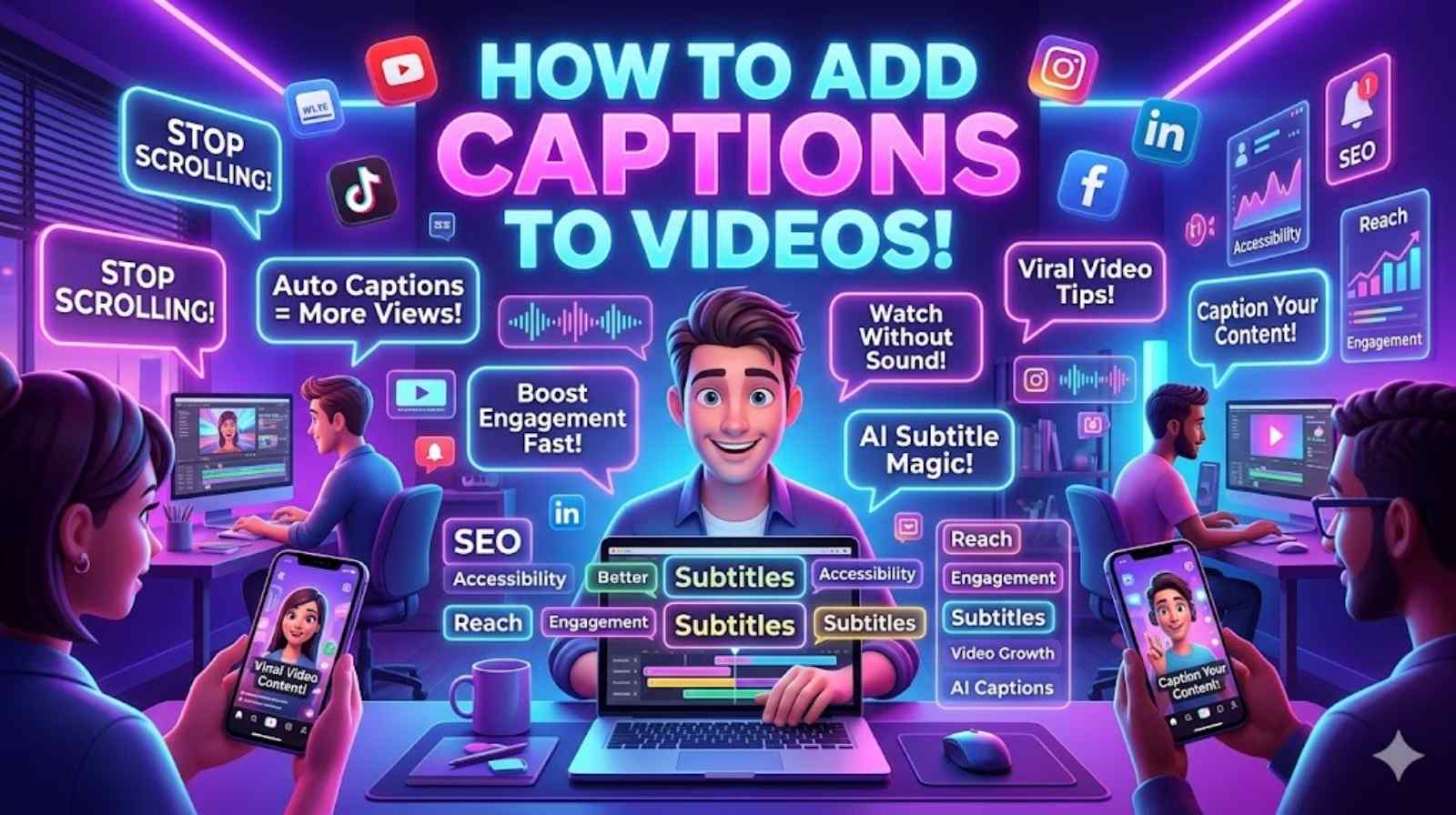
Video content is everywhere today. People watch videos on YouTube, TikTok, Instagram, Facebook, and business websites every single day. That is why learning how to add captions to videos has become more important than ever. Captions help viewers understand your message quickly. They also make your content easier to watch without sound.
Many creators now use video captioning to improve engagement and reach more people online. Good captions can increase watch time, improve accessibility, and boost search visibility. Whether you want to add subtitles to videos, create social clips, or improve your marketing strategy, captions make a huge difference.
If you want to learn how to add captions to videos in the easiest way possible, this guide will help you. You will learn about automatic video captions, editing tools, subtitle methods, and smart ways to create professional-looking video subtitles for every platform.
Why Learning How to Add Captions to Videos Matters
Modern viewers scroll quickly. They skip videos within seconds if the content feels confusing or difficult to follow. That is exactly why how to add captions to videos has become a major topic for creators, marketers, teachers, and businesses. Captions help people understand your message instantly. They also make videos more inclusive and professional.
Research from multiple digital marketing studies shows that videos with captions often achieve better retention rates. Many viewers watch videos with muted sound during work hours, travel, or late at night. In these moments, closed captions for videos become essential. Without captions, viewers simply move on to another video.
Another important benefit involves accessibility. Millions of people rely on video accessibility captions every day. Captions support viewers with hearing difficulties, non-native English speakers, and people watching in noisy environments. This simple addition can dramatically increase audience reach across both UK and US markets.
There is also a strong SEO advantage. Search engines cannot fully understand spoken words inside videos unless text exists. When you subtitle video content, search engines can better index the information. That improves discoverability and helps your videos appear in more searches. Many creators now use video transcription captions specifically to improve rankings.
“Captions no longer feel optional. They are part of modern video communication.”
Captions also improve user experience on social platforms. Videos with social media video captions perform better because viewers can instantly understand the content while scrolling. This matters heavily on TikTok, Instagram Reels, YouTube Shorts, and Facebook videos.
The difference between open and closed captions also matters. Open captions for videos stay visible permanently. Closed captions for videos can be turned on or off by viewers. Both formats work well depending on the platform and audience needs.
| Caption Type | Description | Best Use |
| Open Captions | Permanently visible text | Instagram, TikTok |
| Closed Captions | Viewer-controlled captions | YouTube, educational videos |
| AI Captions | Auto-generated subtitles | Quick editing workflows |
| Manual Captions | Human-created captions | Professional content |
How to Add Captions to Videos in Simple Steps
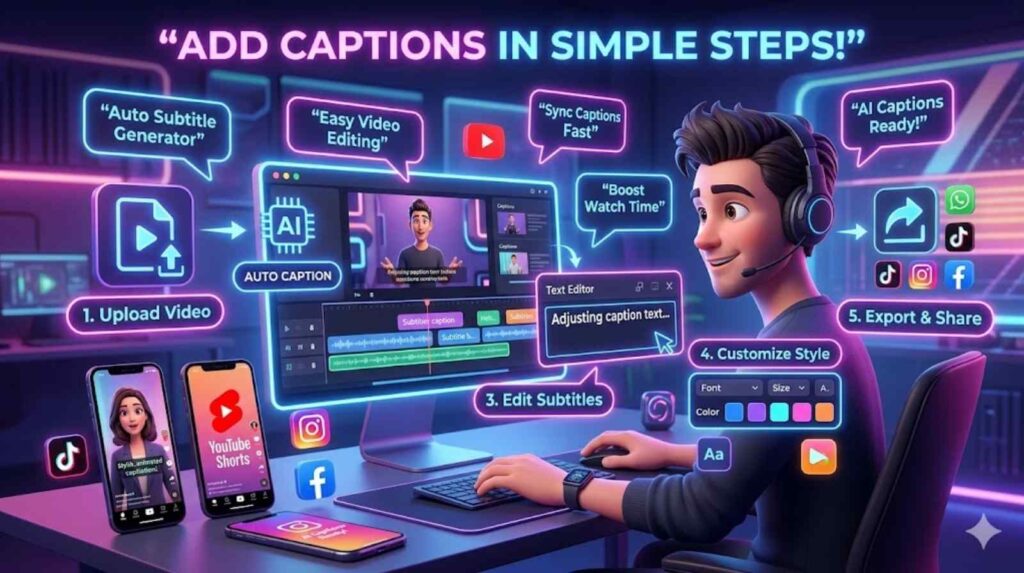
Learning how to add captions to videos does not need advanced editing skills. Modern tools make the process simple even for beginners. Whether you want to use manual editing or AI video captions, the workflow stays fairly straightforward.
The first step involves choosing a captioning method. Some creators manually type subtitles. Others prefer automatic video captions because they save time. AI-powered systems can now detect speech quickly and generate subtitles within minutes. This method works especially well for podcasts, tutorials, interviews, and short-form content.
Once you choose your method, upload your video into a video caption editor. Many tools allow drag-and-drop uploading. After uploading, the software scans audio and begins creating subtitles automatically. This process is commonly called an auto subtitle generator workflow.
Next comes editing. Even the best caption generator for videos can make mistakes. Background noise, accents, and fast speech sometimes confuse AI systems. That is why you should always edit video captions carefully before publishing.
A strong editing process includes:
- Fixing grammar and spelling
- Correcting speaker names
- Adjusting subtitle timing
- Breaking long lines naturally
- Checking punctuation
Timing matters more than many people realise. Poorly synced subtitles frustrate viewers quickly. If captions appear too early or too late, viewers lose focus. That is why understanding how to sync captions with video is essential for professional results.
After editing, customise the appearance of your captions. Good subtitles should feel readable on both mobile and desktop screens. Use simple fonts, high contrast colours, and clean positioning. Avoid placing text too close to screen edges.
Many creators also combine captions with video text overlay effects. This technique helps highlight key messages and improves engagement on short-form platforms.
Finally, export your finished video. Most platforms support subtitle files like SRT or VTT. Some creators prefer burned-in captions because they remain permanently visible. Others upload separate subtitle files for flexibility.
Best Tools for How to Add Captions to Videos Quickly
Technology has changed video captioning completely. Years ago, creators spent hours manually typing subtitles. Today, advanced AI systems can generate captions in minutes. Choosing the right captioning software depends on your goals, budget, and editing experience.
Many beginners prefer browser-based tools because they can caption videos online without installing software. These tools work well for YouTube videos, tutorials, podcasts, and business content. They also support quick exports for TikTok and Instagram.
Professional creators often use advanced video caption tools with editing timelines, animation controls, and multilingual support. These tools provide greater accuracy and stronger customisation features.
Here is a comparison table of common captioning options:
| Tool Type | Best For | Main Advantage |
| AI Caption Tools | Fast editing | Automatic subtitles |
| Manual Editors | Professional accuracy | Full control |
| Mobile Apps | Social creators | Easy editing anywhere |
| Browser Tools | Beginners | No installation required |
AI-driven platforms have become especially popular because they support add captions to videos automatically workflows. Many creators now use AI to speed up editing without sacrificing quality.
Mobile editing has also exploded in popularity. Influencers regularly create captions directly on smartphones. This approach works perfectly for people learning how to add captions on mobile videos. Modern apps provide drag-and-drop editing, animated subtitles, and custom fonts.
Some creators also need multilingual support. Advanced tools now generate custom video subtitles in multiple languages automatically. This feature helps brands expand internationally and reach wider audiences.
If you want the easiest workflow, choose a tool that supports:
- AI subtitle generation
- Manual editing
- Subtitle export formats
- Mobile compatibility
- Social media optimisation
The best systems combine automation with human editing. AI saves time. Human review improves accuracy.
How to Add Captions to Videos for YouTube and Social Media
Different platforms require different captioning styles. What works on YouTube may not work on TikTok. Understanding platform behaviour helps improve engagement dramatically.
YouTube supports both uploaded subtitle files and built-in automatic captions. Many creators learning how to add captions on YouTube videos use YouTube Studio first because it offers free subtitle editing tools. However, YouTube auto captions often require corrections.
Creators who produce long-form content should prioritise clean formatting and proper punctuation. YouTube viewers usually watch for longer periods, so readability matters heavily.
Short-form platforms behave differently. TikTok, Instagram Reels, and Facebook videos depend heavily on visual speed. Captions need larger text, faster timing, and stronger keyword emphasis. This is where social media video captions become powerful engagement tools.
Studies from social media agencies show that captioned videos often outperform silent videos significantly. Users scrolling through feeds react more quickly when text appears instantly on screen.
Creators using captions for YouTube videos often follow these practices:
- Keep subtitles concise
- Highlight important phrases
- Use strong contrast colours
- Avoid overcrowding screens
- Match subtitle speed to speech
Short-form creators also use animated subtitles to hold attention. This style works especially well for comedy clips, educational videos, interviews, and reaction content.
Another growing trend involves how to caption videos for social media using AI-driven editing apps. These apps automatically create animated captions designed for vertical video formats.
Businesses also benefit from captions heavily. Marketing videos with subtitles often achieve stronger completion rates because viewers understand content faster. This matters especially for advertisements viewed without sound.
Common Mistakes to Avoid When Adding Captions to Videos
Many creators rush through the captioning process. Unfortunately, poor captions can damage viewer experience instead of improving it.
One major mistake involves trusting AI completely. While AI video captions save time, they still require human review. Automatic systems often misunderstand names, slang, accents, and technical terms. Publishing inaccurate subtitles looks unprofessional.
Another common issue involves cluttered formatting. Some creators place too much text on screen at once. This overwhelms viewers and reduces readability. Good captions should feel balanced and easy to scan quickly.
Poor colour choices also hurt accessibility. Bright yellow text over white backgrounds creates visual confusion. Always prioritise readability over decoration when designing video subtitles.
Timing errors create another major problem. If captions lag behind speech, viewers become distracted. Learning how to edit captions in videos properly helps solve this issue.
Some creators also ignore SEO opportunities completely. Captions provide searchable text that search engines can crawl. When creators strategically use keywords inside subtitles, they improve discoverability naturally.
Avoid these mistakes:
- Overusing animated effects
- Using unreadable fonts
- Ignoring subtitle timing
- Leaving AI mistakes uncorrected
- Adding captions too close to screen edges
“Simple captions usually outperform flashy captions.”
Professional creators focus on clarity first. Fancy effects come second.
Tips to Make Your Video Captions Clear and Engaging
Great captions feel natural. They support the video instead of distracting from it. The best creators write subtitles like real conversations.
Start by keeping sentences short. Long subtitle blocks force viewers to pause mentally while watching. Short phrases improve readability and maintain pacing.
Natural wording also matters. Avoid robotic phrasing. Captions should match the speaker’s tone and energy. This approach makes videos feel more authentic.
Many experts recommend using two short subtitle lines instead of one large paragraph. This improves scanning speed and reduces viewer fatigue.
Positioning matters too. Keep captions high enough to avoid platform interface buttons. Mobile viewers especially need clear spacing.
Strong creators also use captions strategically for emotional emphasis. They highlight key phrases during dramatic or educational moments. This technique increases viewer attention significantly.
If you want stronger engagement, follow these practices:
- Use clean fonts
- Keep subtitle timing natural
- Maintain strong colour contrast
- Break lines logically
- Avoid excessive animations
Modern creators increasingly combine subtitles with branding elements. Consistent fonts, colours, and animations help videos look more professional.
Another overlooked strategy involves multilingual subtitles. Businesses that create custom video subtitles for international viewers often experience stronger audience growth. Global accessibility matters more than ever.
Captions also help educational creators heavily. Tutorials, webinars, and training videos become easier to follow with clear subtitles. This improves knowledge retention and user satisfaction.
Advanced Video Captioning Strategies
Professional creators use captions for more than accessibility. They use them strategically to increase engagement, conversions, and SEO visibility.
Marketing teams often use captions in advertisements because silent autoplay dominates social feeds. Viewers frequently watch ads without enabling sound. Captions solve this problem immediately.
Educational brands also rely heavily on subtitles. Courses with captions often achieve better completion rates because learners absorb information more easily.
Some creators now use multilingual video subtitles to reach international markets. AI translation tools make this process much faster than before. Brands targeting both UK and US audiences especially benefit from localisation strategies.
SEO professionals also use captions strategically. Search engines analyse subtitle text when indexing videos. That means properly optimised captions can improve discoverability significantly.
Businesses learning how to improve video SEO with captions often include:
- Relevant keywords naturally
- Clear product names
- Service descriptions
- Important search phrases
Captions now influence branding, accessibility, discoverability, and audience growth simultaneously.
Frequently Asked Questions
What is the best way to add captions to videos?
The best method depends on your needs. Many creators use AI tools first and then manually edit subtitles for accuracy.
Can I add captions to videos automatically?
Yes. Modern AI systems support add captions to videos automatically within minutes.
What are the best AI tools for video captions?
Many creators prefer browser-based AI editors because they combine automation with manual editing features.
How do I add subtitles to a video on mobile?
You can use mobile editing apps designed for social media creators. Most apps support automatic subtitles and manual editing.
Why are captions important for accessibility?
Video accessibility captions help viewers with hearing difficulties and improve comprehension in noisy environments.
Do captions improve SEO?
Yes. Search engines can crawl subtitle text, which helps improve discoverability and rankings.
Conclusion
Learning how to add captions to videos is no longer optional for modern creators. Captions improve accessibility, engagement, watch time, and SEO performance across every major platform.
Whether you use manual editing or automatic video captions, the goal remains the same. You want viewers to understand your message quickly and clearly. Good subtitles help people stay engaged longer and interact more with your content.
As video competition continues growing online, creators who invest in high-quality video captioning gain a major advantage. Clear captions make videos more professional, easier to follow, and more discoverable across YouTube, TikTok, Instagram, Facebook, and business websites.